
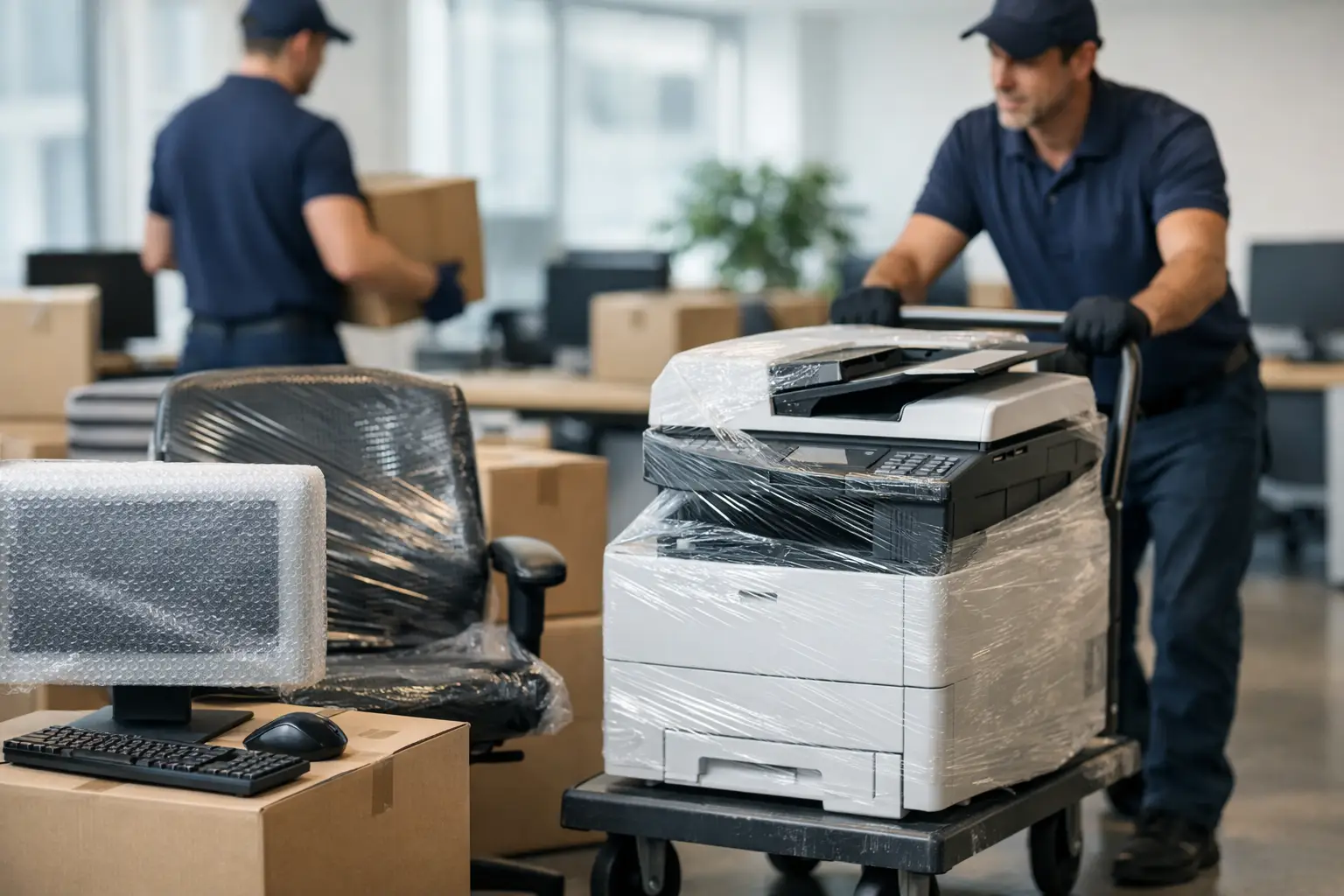
An office move rarely goes wrong because of the desks. The real problems usually start with the equipment – monitors without the right cables, printers moved with toner still inside, servers packed too late, and staff losing hours because no one labelled what was going where. If you are figuring out how to move office equipment, the goal is not just getting everything from one address to another. It is keeping your business working, protecting valuable items and avoiding expensive delays.
For a small business, even a short move across London can disrupt phones, internet, payments and day-to-day admin if the equipment side is handled badly. That is why a practical plan matters more than speed on its own.
How to move office equipment without avoidable disruption
The safest office moves are usually the ones broken into stages. Trying to pack everything at once tends to create confusion, especially when different teams share devices, storage areas and furniture.
Start by separating office equipment into clear groups. IT equipment, telecoms, printers, small electronics, specialist machines and general desk items should not be treated the same way. A keyboard and a photocopier do not need the same packing method, and moving them as if they do is where damage often happens.
It also helps to decide early what is actually worth moving. Many businesses carry old monitors, broken chairs, duplicate cables and unused peripherals from one office to the next. A move is a good point to reduce clutter so you are not paying to transport items you no longer need.
Audit everything before packing starts
Before a single cable is unplugged, create a simple inventory. This does not need to be complicated, but it does need to be accurate. Record what equipment you have, which department uses it, whether it is fragile, and where it needs to go in the new office.
For smaller offices, a spreadsheet is usually enough. For larger teams, use numbered labels on each item and match them to a room or workstation plan. This saves time on moving day and makes unpacking far more manageable.
The most useful inventories also note accessories. A screen without its power lead or a phone system without adaptors can be just as disruptive as a damaged unit.
Identify what needs specialist handling
Not all office equipment can be moved in the same van load with the same packing materials. Standard desktops, chairs and boxed supplies are one thing. Server racks, heavy multifunction printers, safes and delicate AV equipment are another.
This is where many businesses underestimate the job. Weight is only one issue. Shape, sensitivity to movement and shutdown requirements also matter. A large office printer may need internal parts secured before transport. Certain IT systems may need to be powered down in a specific order. If you have equipment that supports live operations, ask your IT provider or supplier what must be done before moving it.
Packing office equipment properly
If you want to know how to move office equipment with less risk of damage, packing is where most of the protection happens. Good handling matters, but poor packing creates problems before the van even leaves.
Original boxes are ideal if you still have them, particularly for monitors and specialist electronics. If not, use strong double-walled boxes, anti-static protection where needed, bubble wrap, padded blankets and proper tape. Loose filling on its own is not enough for fragile office items.
Monitors should be wrapped individually and packed upright where possible. Desktop towers need internal protection from knocks and should be cushioned well. Keyboards, mice and headsets can be grouped by user, bagged neatly and labelled clearly. For printers, remove paper trays if possible, secure lids and protect all sides.
Label cables and accessories by workstation
One of the easiest ways to slow down an office reopening is by tossing cables into random boxes. It sounds minor, but it causes hours of unnecessary sorting.
Pack each employee’s accessories together where possible. Label power leads, docking stations, phones and monitor cables so they return to the right desk. If your office uses shared setups, mark cables by room or equipment type instead.
Taking quick photos before disconnecting desks and equipment can also help. It gives your team a simple reference when setting everything back up.
Back up important data before the move
Physical care is one part of the job. Data protection is another. Even if your equipment is being moved carefully, a proper backup should happen before anything critical is unplugged.
That applies especially to local servers, office PCs storing files on hard drives, specialist systems and any device that is not fully cloud-based. A move should never be the first time you discover where your business data is actually stored.
Planning the move day itself
A well-packed office can still run into problems if the move day schedule is unrealistic. Timing matters because some equipment should be loaded last and unloaded first, while some departments may need to stay operational longer than others.
If your business can manage it, stagger the move. Non-essential archives, spare furniture and stock can often go first, while core workstations and telecoms equipment move later. This reduces downtime and gives your team a better chance of being ready at the new site quickly.
Access also matters more than many people expect. Check lifts, stairwells, parking restrictions, loading bays and building management rules at both properties. In London, these details can make the difference between a straightforward job and a drawn-out one.
Use the right vehicle and enough manpower
Office equipment is rarely difficult because of one heavy item. It is difficult because there are many items, each with different handling needs, and all of them must be moved within a limited time window.
That is why matching the vehicle and crew to the job matters. A Luton van with tail lift is often the practical choice for commercial moves because it helps with heavier equipment and reduces risky manual lifting. The right number of movers also speeds up loading and unloading without turning the move into a rushed handling job.
For smaller offices, a compact team may be enough. For larger or more equipment-heavy moves, trying to save money with too few people often creates delays, strain and a higher chance of damage.
Common mistakes when moving office equipment
The biggest mistake is leaving decisions too late. Businesses often focus on lease dates, keys and furniture plans first, then realise the equipment move has not been properly thought through.
Another common issue is underestimating dismantling and reassembly time. Screens on monitor arms, meeting room equipment, cable trays and larger desks all take longer than expected when they need to be taken down safely.
Packing equipment with general office contents is another avoidable problem. Electronics should not end up mixed with kitchen items, stationery and personal belongings. It slows unloading and increases the chance of mishandling.
Then there is the assumption that staff can manage everything themselves. In some cases, employees can pack desk items and personal effects. But lifting, transporting and protecting business-critical equipment is different. If your team is worrying about carrying heavy printers down stairs, they are not focusing on keeping the business running.
Should you move office equipment yourself or hire professionals?
It depends on the size of the office, the value of the equipment and how much downtime your business can tolerate. A very small office with basic equipment may manage a simple self-organised move if everything is well packed and access is easy.
But once you add multiple workstations, heavy printers, storage units, fragile electronics or time-sensitive operations, the risk changes. Professional movers bring handling experience, suitable vehicles, lifting equipment and a faster process overall. That does not just reduce physical risk. It also makes the move easier to coordinate.
For many businesses, the cost question is really about comparison. Paying for help can be cheaper than replacing damaged equipment, losing a working day or tying up staff in a move they were not prepared to handle. A practical removals team can also help with furniture dismantling, secure loading and organised placement at the new office, which saves time when reopening.
If you need office equipment moved quickly and with less stress, using an experienced removals company such as The Kings Removals can make the process more controlled from start to finish.
The best office moves are not the ones that look busy. They are the ones where everything arrives where it should, powers back on without drama, and your team can get on with work sooner rather than later.